
SHORT ANSWER
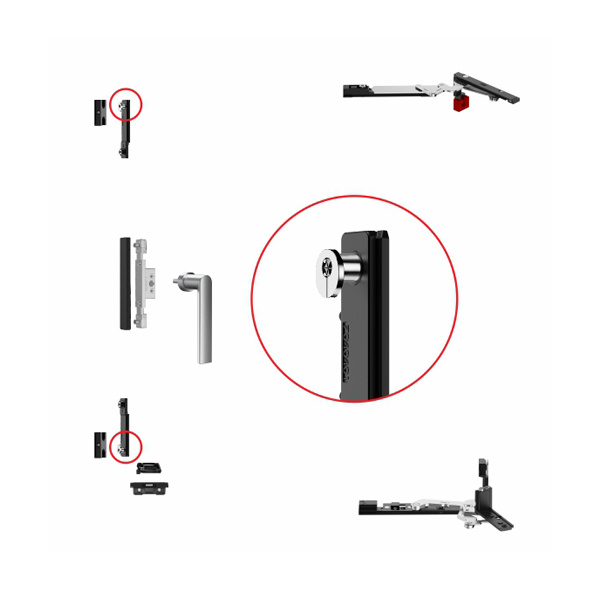
Compare aluminium casement window hardware as a complete opening set: confirm whether the sash is inward, outward, top-hung or another condition, then check the profile/groove, sash dimensions and weight, handing, hinges or stays, handle/locking route, finish and quantity. Do not approve a set from one hinge or friction-stay photo alone.
The component names in an aluminium casement window can be familiar, while the complete configuration is still unknown. This guide serves buyers who need to compare an aluminium casement window hardware route without confusing a friction stay article with a whole-window selection.
The short answer
Begin with the opening type and aluminium profile. Then map the components needed around the sash: hinges or stays, handle, locking points and any associated items. Use the actual sash condition and project information to review the route, rather than selecting each part independently.
1. Define the casement opening
State whether the sash is outward-opening, inward-opening, top-hung or another arrangement. Include a photo from the side that makes the opening and handing clear. A general “casement window” label is not detailed enough for a configuration review, especially if the project contains several opening types.
For replacements, photograph the full opening sash and both the frame and sash fixing positions. For a new project, send the elevation, section or system list. This creates a record of the application before individual items are discussed.
2. Compare the set, not a single part
A complete casement route may involve a friction stay or hinge-side direction, a handle, locking components and related accessories. One component can be a valid product reference without confirming every other connection in the set.
Confirm outward, inward, top-hung or another casement condition.
Provide the aluminium system reference, section drawing or clear photos.
State dimensions, estimated weight, glass information and handing.
List stays/hinges, handles, locks and any existing components to retain.
Add finish, quantity, destination and sample or quotation timing.
3. Use the profile and sash to check the route
The aluminium window and door hardware range is the right place to begin a product-family comparison. It should be read alongside the profile and sash information. A window that appears similar can use a different groove, fixing pattern, handing or operating arrangement.
If the immediate question is the stay itself, see how to choose a casement window friction stay. That article addresses the stay selection inputs in more detail; this page keeps the wider hardware set in view.
The information to prepare for a comparison
Bring together the opening photo/diagram, profile reference, sash dimensions and estimated weight, component list or existing hardware photos, finish, quantity and destination. If you only have part of the information, share it and identify what is not confirmed. The technical drawings library may provide a helpful reference when the model family is already identified.
The purpose is not to create a universal casement kit. It is to give the supplier enough information to distinguish a preliminary route from items that require a system match.
Frequently asked questions
Can the same casement hardware set be used for inward and outward openings?
Do not assume so. Confirm the opening arrangement and profile before comparing components.
Is a friction stay the whole casement window hardware set?
No. It is one possible component. The handle, locking route, hinges or stays and profile interface should be considered together.
What should I send if I only need a replacement?
Send photos of the full window and all visible hardware, plus the profile/groove and any model reference. This is more useful than one close-up alone.
References
NEXT STEP
Compare the whole casement window condition, not isolated components
Share the opening, profile and sash details. Fenrova can then review the relevant hardware direction and identify the missing confirmation items.
Start a project matching request →